

Built for sales & service teams
Phone calls, notes and follow-ups –
directly inside your CRM workflow.
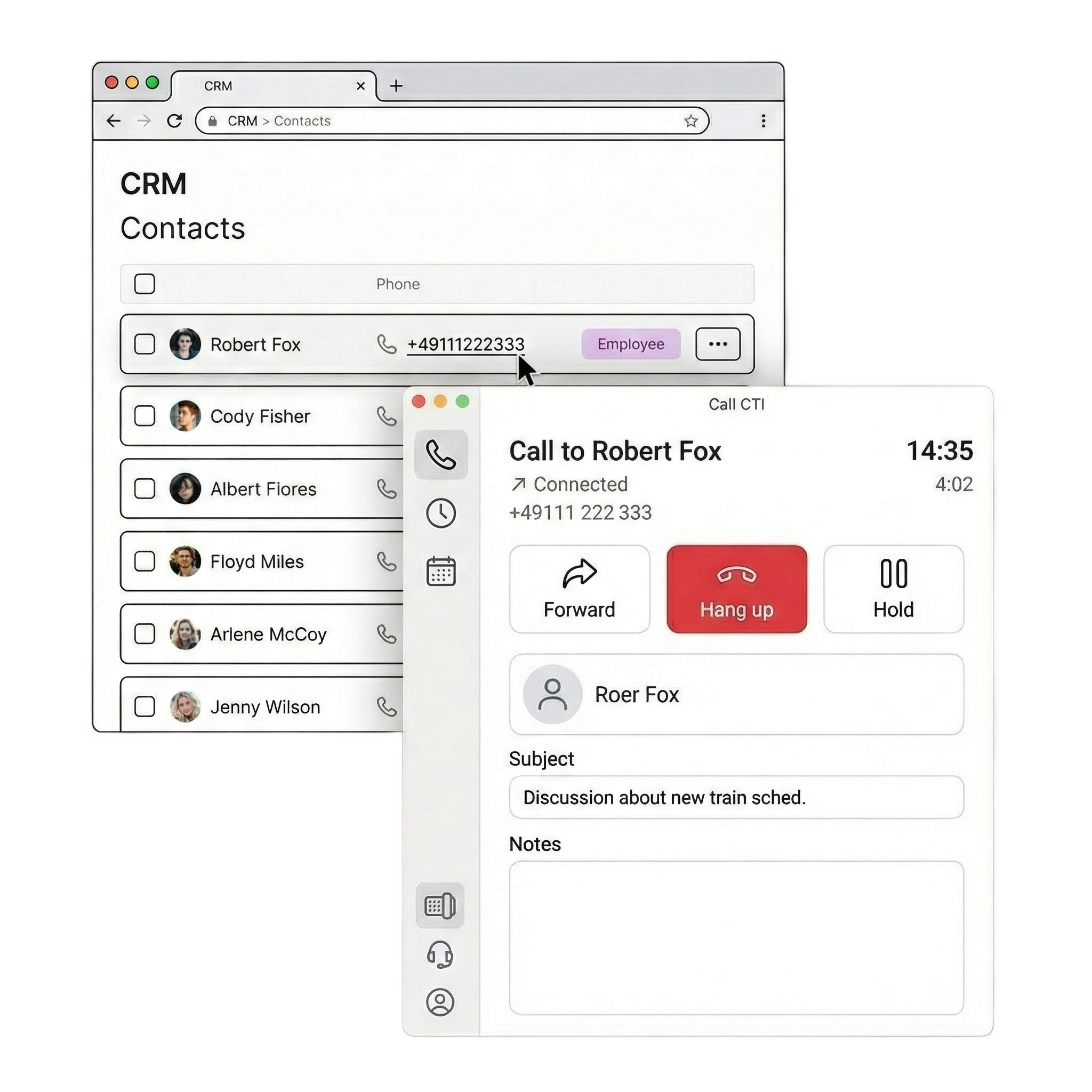
CallCTI combines a built-in softphone, click-to-dial, automatic call logging and AI-powered features in one workflow for sales and service teams — flexible across telephony setups, not tied to a single provider.
Limited spots. Personal onboarding. Free of charge.
Works with
salesforce
HubSpot
pipedrive
SugarAI
Why CallCTI
One calling app that fits how your team actually works
Built from the CRM user’s perspective, open to multiple CRMs and telephony providers, and bringing automation features within reach for teams of any size.
Designed for CRM users
Most calling apps are built around a telephony provider. CallCTI is built around the people using the CRM every day — with workflows, context and follow-ups where the work actually happens.
Multiple connections in parallel
Sales uses one CRM, support uses another, and telephony differs by region? CallCTI connects to multiple CRM and telephony systems at the same time — so teams across departments or regions share one calling experience instead of juggling separate apps.
Best-in-class productivity
Automatic call logging, CRM workflow and AI-powered features aren't reserved for large enterprises. With strong process automation capabilities, all teams can achieve productivity gains greater than ever before.
How it works
From live call to logged CRM activity — in one flow.
Three steps that turn every conversation into a structured CRM activity.
01
Start calls inside your CRM workflow
Use click-to-dial and contact recognition to give every conversation immediate context — inside the CRM or in the standalone app.
02
Capture notes and outcomes
Keep subjects, notes and call results structured inside one workspace. Everything is ready for the CRM before you hang up.
03
Follow up faster
Create tasks, plan follow-up calls and use AI to turn conversations into clear actions — without switching tools.
Key capabilities
Everything you need — during, after, and across your team
Live call handling, structured follow-up and AI-powered automation — purpose-built for sales and service teams.
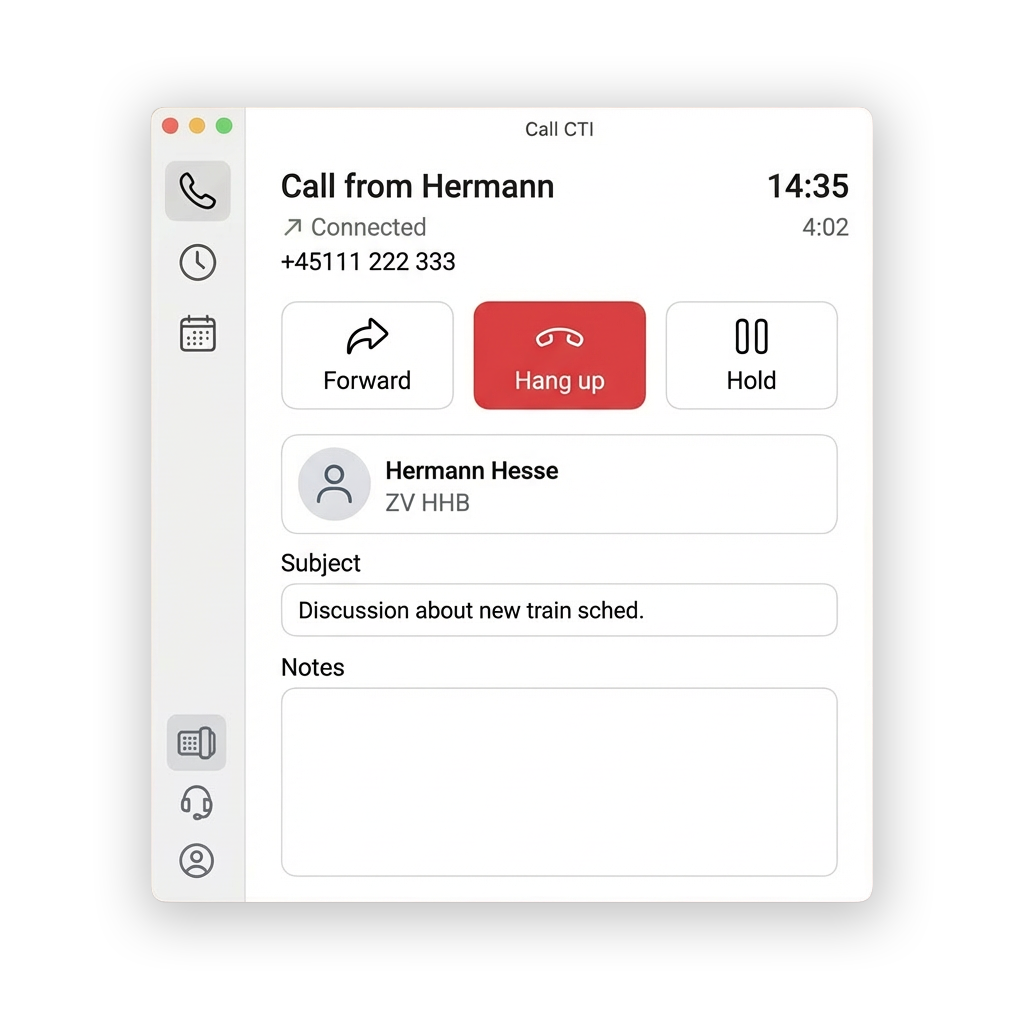
A built-in softphone for everyday CRM work.
Handle calls, see contact context and take notes in one clean interface. As a dedicated app, CallCTI stays useful even when the CRM is not open.
-
Built-in softphone — no 3rd-party software or hardware required
-
Forward, hold and call control in one interface
-
Works as standalone app — beyond the CRM browser tab
-
Click-to-dial from any CRM contact or record
-
Automatic contact recognition when a call comes in
-
In-call note-taking
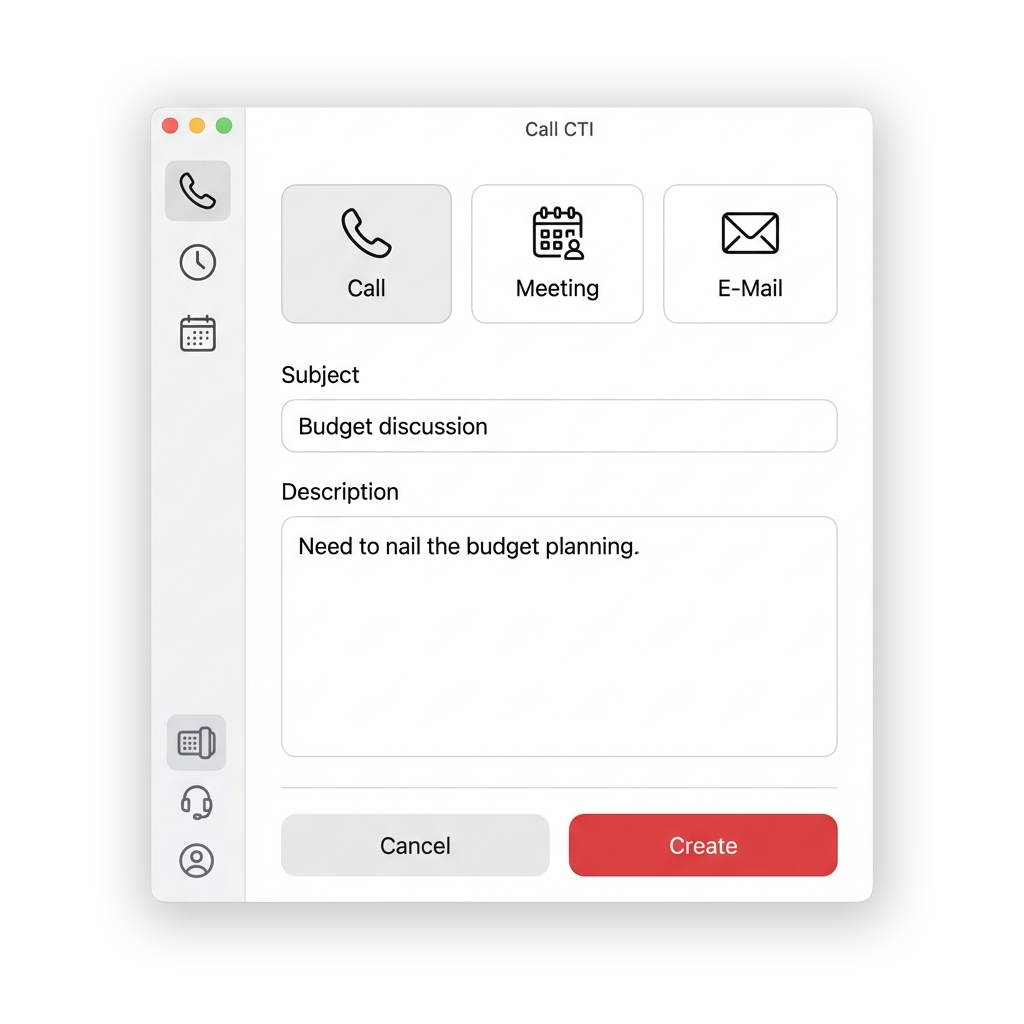
Turn every call into a structured next step.
Automatically log call details, create follow-up activities and keep CRM records complete while the conversation is still fresh.
-
Automatic call logging — CRM record created the moment you hang up
-
Follow-up assistance — plan a follow up activity directly in CallCTI; activities sync straight to your CRM
-
Call history — filter, review and re-edit past calls; changes sync back to CRM
-
Flexible CRM mapping – relate calls to leads, contacts, accounts, and opportunities
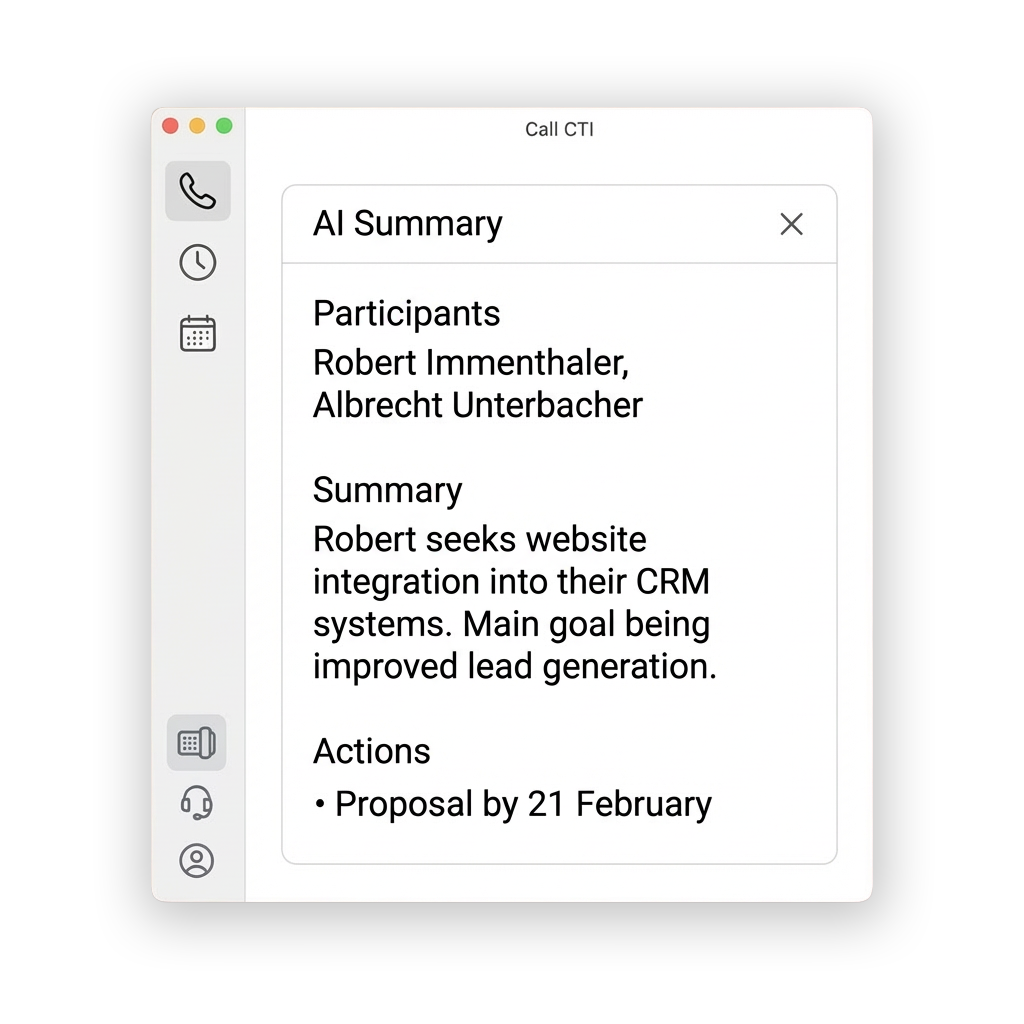
Reduce manual work with AI powered features.
Summarise conversations, surface action items – automatically, after every call.
-
AI-generated call summaries with key topics and action items
-
AI generated transcript attached to the CRM record for reference
Testimonials by teams using CallCTI (free preview version)
Sales and service teams love CallCTI
Thanks to reliable support and continuous improvements, CallCTI has become an integral part of our sales team’s daily workflow.
Nina
Sales Manager
Our feature request was implemented quickly and has greatly improved our team’s ability to evaluate performance. I fully recommend CallCTI.
Oskar
Founder & CEO
CallCTI saves us a great deal of time by connecting our telephony system to our CRM quickly and easily. The product is intuitive, responsive, and continuously improved based on user feedback.
Julius
Managing Director
200+
teams using CallCTI
0
average rating
<0min
average setup time
0 CRMs
natively supported
Compare plans
See which features are included in each plan
See the feature highlights at a glance, and join the free preview to check them out.
Feature
Essential
Plus
Built-in softphone
Start, receive and manage phone calls with the built-in softphone that runs on Mac, Windows or Linux.
Click-to-dial
Start a call from a CRM contact in your web browser with one click.
Essential CRM integration
See who’s calling, and who you missed. Save and link notes to your contacts from CallCTI in your CRM.
Extended CRM integration
Link calls to deals and edit call notes retroactively in CallCTI – directly across all supported CRM products.
Multiple connections
Connect multiple CRM products and telephony providers in parallel with one CallCTI app. Calls and CRM data from all connected providers come in simultaneously.
Automatic call logging
Automatically log calls from CallCTI to your CRM, including time, duration, direction, and status.
PRICING
Choose the plan that fits your team
Start small, then scale with automation and advanced workflows.
Monthly plan
Yearly plan (save 20%)
Essential
€ 3,95
-
Essential CRM calling for individuals and small teams: Built-in softphone, click-to-dial and integration with CRM and one telephony provider.
Plus
€ 7,95
-
For teams with structured outbound and service workflows: Everything in Basic, plus extended provider integration (up to 3) and advanced automation features
Essential
€ 3,16
-
Billed yearly — save €7,08/year
-
Essential CRM calling for individuals and small teams: Built-in softphone, click-to-dial and integration with CRM and one telephony provider.
Plus
€ 6,36
-
Billed yearly — save €21,48/year
-
For teams with structured outbound and service workflows: Everything in Basic, plus extended provider integration (up to 3) and advanced automation features
Add-ons
Focus on your conversation, not on tedious note-taking – with AI-powered features.
AI assistance
Transcribe calls and meetings, generate concise summaries and capture action items with the full transcript attached for reference. Works with all supported CRM products.
Starting at
€9,95
per customer account monthly
FAQ
Common questions before you get started.
Still not sure? Get in touch — we’ll answer everything.
How can I test CallCTI?
You can request access to the free preview version. Access is available in limited numbers. Book a set-up meeting and we will get back to you.
Which CRM products does CallCTI support?
CallCTI integrates natively with products from these vendors:
HubSpot Sales Hub: all editions
Pipedrive: all editions
SugarAI: Sell Advanced or higher, Sugar Serve
Note: API limits of respective vendors apply and must be taken into consideration.
More integrations will come based on demand — let us know!
Can CallCTI work with more than one telephony provider?
Yes. CallCTI is designed to work with multiple telephony setups simultaneously.
Does CallCTI require a specific cloud telephony provider?
No. CallCTI is not limited to one provider-specific telephony platform. If the platform provides SIP calling, CallCTI can likely work with this setup. Currently CloudTalk, Placetel, and sipgate are officially supported. We're happy to help if you want to connect it with another provider.
Do I need to keep my CRM open while using CallCTI?
No. CallCTI runs as a dedicated app, so your team can keep working even when the CRM isn't open in the browser. This is one of the key advantages over CRM-native calling tools.
Why use CallCTI instead of a provider's built-in app?
CallCTI is built for broader CRM workflows, supports flexible telephony setups, and helps teams standardize calling processes across systems – independent of any single vendor.
How long does setup take?
Most teams are up and running in under 5 minutes. We also offer a free 10–20 minute onboarding session with every trial to get your team set up correctly from day one.
Which features does AI provide?
It transcribes calls and meetings, creates concise summaries, highlights action items, and attaches the full transcript directly to your CRM record – automatically. This is an upcoming add-on available for all plans, not yet released.
Which measures are in place to protect my security and my data privacy?
Security and privacy are built into the product, following industry best practices and standards. We update them regularly and ad-hoc as needed. Request our data processing agreements and compliance documentation for more details.
Ready to try CallCTI?
Bring calls, notes and follow-ups into one CRM workflow.
Request a free preview or book a short demo to see how CallCTI fits your team.
Limited spots. Personal onboarding. Free of charge.